Settings, sync and your data
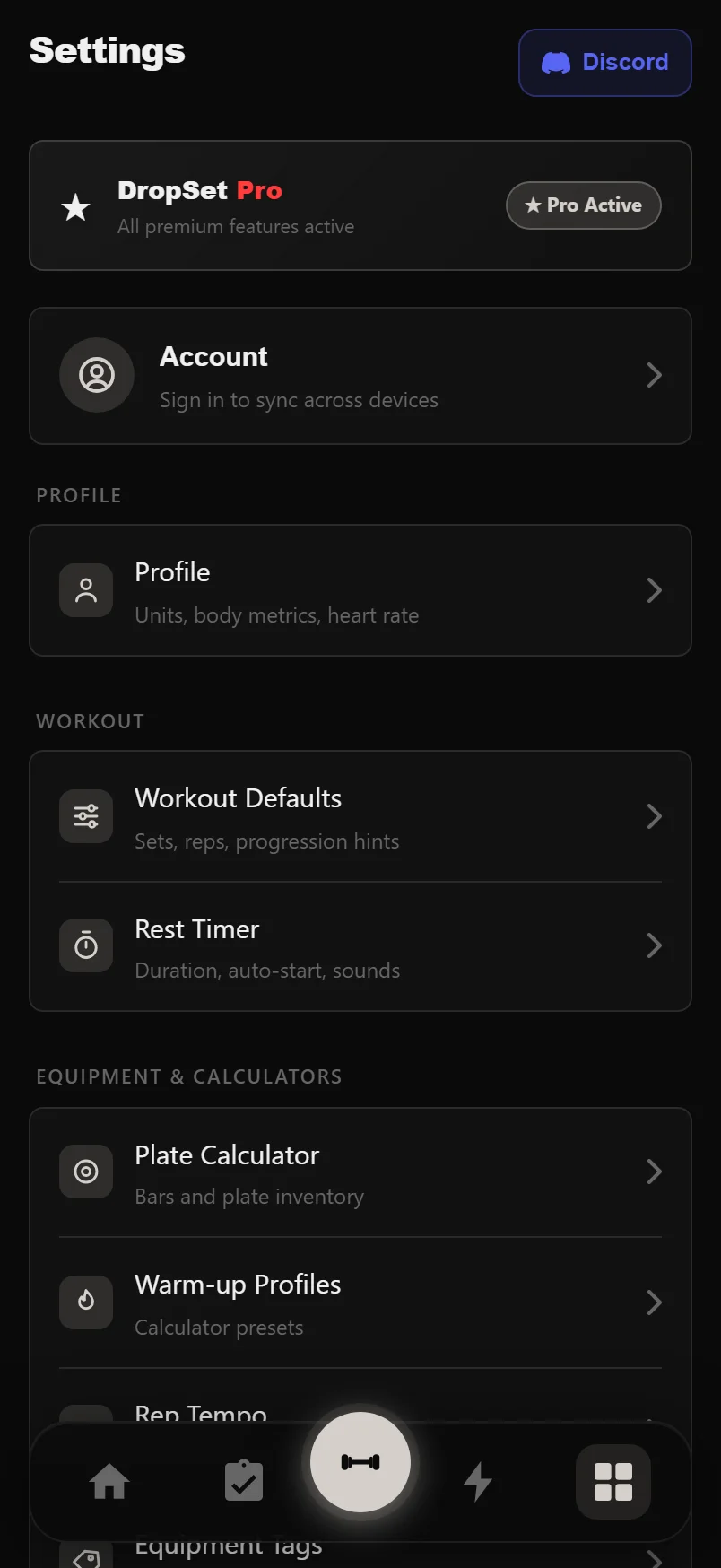
Settings is where DropSet adapts to you: your units, your plates, your rest times, your data. It's a menu of small focused screens, and every change saves automatically as you make it.
It's also home to what matters long-term: importing your history from another app, exporting it back out, and keeping everything synced to your account. Your data is yours — lossless export is built in, and the app works fully offline.
Last reviewed 2026-07-10 · matches app v0.9.0.32
Profile and workout defaults
Profile holds your units — kg or lbs for weight, km or miles for cardio — plus sex, height and age, which feed calorie and body-metric estimates. Age sets your max heart rate (220 minus age); override it or add a resting heart rate for the Karvonen formula, with a live preview of all five HR zones. A weekly session target feeds your Consistency Score.
Workout Defaults controls the logger: default sets and reps, weight rounding (0.25 kg up to 5 kg — every suggested weight snaps to this step), and toggles for progression hints and the fatigue bar. Effort tracking is where you choose RPE, RIR or off, with an optional default pre-filled on every set.
Every numeric field selects its contents when you tap it — just type the new value, no deleting first.
Rest timer, sounds and reminders
Rest Timer sets whether the timer starts automatically on set completion, the default duration (30 seconds to 5 minutes, overridable per set), and how it appears: a thin header bar, a floating mini timer, or a full-screen countdown.
Pick a rest-complete sound (bell, whistle or horn) and a PR celebration sound — each has a play button so you can hear it first. Vibration and the PR confetti splash have their own toggles. Rest alerts fire even with the screen locked.
Workout reminders live under Workout Defaults: turn them on and DropSet notifies you on each of the next 7 days that has a planned session, at your chosen time.
Warm-ups, plates and equipment
Warm-up Profiles holds the calculator's three presets — Quick, Standard and Heavy. Each is fully editable (name, percentage, reps and rest per ramp set), and you pick which one opens by default.
Plate Calculator describes your actual gym: your bars (add custom ones too) and the plates on the rack, down to 0.25 kg microplates. Enable a microplate finer than your weight-rounding step and an inline note tells you to lower the rounding so suggestions can actually use it.
Equipment Tags lets you hide built-in gear you never use and add your own.
Swipe a warm-up set row to the left to delete it.
Importing from another app
Data & Export > Import CSV accepts files from DropSet itself, Strong, Hevy and Loadline — the format is detected automatically, and so is the weight unit whenever the file states one. The kg/lbs selector next to the Import button is only consulted for Strong files that don't.
Import is safe to repeat: every session is fingerprinted, so re-importing the same file adds nothing twice — unchanged sessions are skipped, edited ones updated. Exercise names are matched to DropSet's library; anything unrecognised is carried across as a custom exercise. A summary sheet shows what was added, matched and created.
After an import, open any imported workout in History and use Save as New Routine to get your old splits back as reusable routines.
Export and backup
Export to CSV writes every logged set — cardio, HIIT and all set types included, with weights, reps, RPE/RIR, distances and durations — in a lossless format that re-imports cleanly. Turn on auto-export and a fresh CSV lands in a folder you choose after every workout.
Backup produces one JSON file of everything: workouts, custom exercises, routines, programs, goals, body metrics, cardio, nutrition, sleep and settings. Restore reads it back in — with a clear warning first, because it overwrites matching records locally, in the cloud and on your other signed-in devices.
Your account and cloud sync
Your account is just your email address: enter it, type the 6-digit code that arrives, and you're signed in — no password. Accounts are created in the Android app; once one exists, the same email code logs you in elsewhere.
DropSet is offline-first. Everything works with no connection, and changes queue up and sync automatically when you're back online. The account card shows when you last synced and whether anything is pending, with a Sync Now button if you're impatient.
Signing out uploads pending changes first, and warns you if any couldn't be synced rather than silently dropping them. Delete Account & All Data does what it says — a two-step confirmation, then your cloud data, account and local data are permanently erased.
Health Connect
On Android, the Integrations screen connects DropSet to Health Connect — read-only by design. It reads workouts, weight, body fat, steps, heart rate (plus resting HR and HRV), sleep, nutrition and hydration from your other apps and devices and folds them into your dashboard. DropSet never writes to Health Connect, so it can't pollute your health record.
Appearance and the Wear OS companion
Display offers six muted accent colours — the whole interface re-tints to your pick — plus a toggle to keep the screen awake during an active workout.
If you have a Wear OS watch, the companion pairs with the phone app: your session appears on the watch, you log sets from the wrist, and the rest timer runs on both — +/-15 second nudges and skips sync in both directions. The watch can also stream heart rate into your session, and the Watch screen has toggles for HR tracking, sounds and haptics.
DropSet Pro
DropSet Pro unlocks the web dashboard at dropsetapp.com (train on your phone, review on a desktop), deep analytics (Recovery Score, ACWR workload ratio, muscle imbalance detection, custom date ranges), smart features like auto progression suggestions and deload detection, progress photo tools, and unlimited routines and programs.
Pro is sold through Google Play as an annual or monthly subscription (or a one-time lifetime purchase), and Restore Purchase re-links an existing purchase on a new device. During the beta everything is free for all testers, and the first 50 waitlist signups get lifetime Pro.
Tap the version number at the bottom of Settings to read the full release notes for every build.
Common questions
Will importing my Strong or Hevy history create duplicates if I run it twice?
No. Every imported session is fingerprinted, so re-importing the same file skips unchanged sessions and updates edited ones — nothing is ever duplicated.
Does DropSet work without an internet connection?
Yes, fully. Logging, programs and analytics all run on-device. Changes made offline queue up and sync to your account automatically when you're back online.
Can DropSet write data into Health Connect?
No — the integration is read-only by design. DropSet reads workouts, weight, steps, heart rate, sleep, nutrition and hydration from Health Connect but never writes anything back.
How do I move my data out of DropSet?
Data & Export gives you a lossless CSV of every set (including cardio, HIIT and set types) and a full JSON backup of everything. Both are one tap, no subscription required.
What happens to my data if I delete my account?
Everything is permanently erased — cloud data, your account and the data on the device. There's a two-step confirmation, and it cannot be undone, so export a backup first if you might come back.
Put it into practice
DropSet is free during beta — 50 proven programs, automatic progression, rest timers and PR tracking, all on your phone.